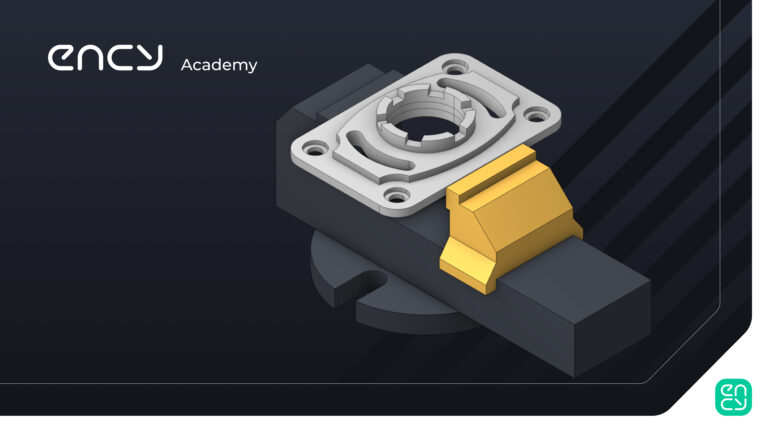
3-Axis Milling

This is the starting point for learning conventional Milling with ENCY

9 lessons1 hr 30 minTier 214 languages
Sign in to enroll

About course

This course is designed for anyone who wants to learn ENCY from scratch. It’s ideal for both beginners and those who already have experience with CAD/CAM systems and want to explore the capabilities of ENCY.

During the course, you’ll create your first project and gain a comprehensive understanding of the program's interface and working principles.

We will walk you through everything step by step — from basic tools to advanced functions — so that you can use ENCY not only for 3-axis machining, but also for a wide range of tasks. After completing the course, you’ll be confident in using the software and ready to continue developing your skills independently.

Author

Files

Gerry Grainger

Used in the course — download before starting:

Gerry Grainger

Training content producer

Languages

العربيةDeutschEnglishEspañolFrançaisעבריתहिन्दीItaliano日本語한국어NederlandsPolskiPortuguês中文

Take the course and get a certificate!

Add this certificate to your resume to demonstrate your skills and increase your chances of getting noticed.
Certificate preview

Lessons

9 lessons to go

  1. 1IntroductoryExplore the three operational spaces within ENCY: Machining, Model, and Simulation. The Machining workspace allows for detailed setup and control of operations, while the Model space facilitates drawing new components and geometry. The Simulation space provides a read-only environment to examine processes and run simulations, ensuring effective workflow management and conflict resolution.Video lesson
  2. 2First Job SetupImport and set up a part model in the Micron VCE 600 Pro milling machine, focusing on fixturing and defining the workpiece coordinates. Utilize the inspector tabs to load a vice, create a cuboid workpiece, and establish the G54 datum point for accurate machining. Ensure proper alignment of the vice jaws to optimize simulation accuracy in CAM programming.Video lesson
  3. 3Roughing OperationImport tool tables into the project and initiate roughing operations using a 20mm cylindrical mill for facing and waterline strategies. Define top and bottom levels, set depth steps, and simulate toolpaths to ensure proper machining without interference from designated zones. Validate toolpath efficiency and prepare for subsequent operations on central features.Video lesson
  4. 4Roughing Operation Part 2Clear a central bore using hole pocketing with a 20mm end mill, optimizing tool parameters and job assignments. Create castellated features with a 6mm end mill through 2D contouring, incorporating lead-ins and lead-outs for efficient cutting. Utilize a radial array to replicate the contouring path for multiple slots, streamlining the machining process.Video lesson
  5. 5Slotting And Hole Machining OperationsCovers drilling and slotting operations, including bore cleanup using a 2D contouring path. Participants learn to define tool parameters, set drilling heights, and apply helical machining strategies. The session emphasizes efficient toolpath generation and simulation for optimal machining results.Video lesson
  6. 6ChamferingChamfering techniques focus on breaking sharp edges using a 10mm conical mill in ENCY. The process includes selecting edges manually, setting chamfer depth, and simulating the tool path while managing gouge detection. Best practices emphasize careful edge selection and understanding the implications of chamfering on the workpiece.Video lesson
  7. 7Text EngravingSet up a text path for engraving by creating and positioning text in model space, adjusting angles, justification, and height. Apply spatial transformations to align the text with the workpiece, then define engraving parameters and generate the toolpath. Finally, simulate the engraving process to visualize the outcome.Video lesson
  8. 8Part Turnover And FacingDefine and manage setup stages to flip a workpiece and perform final machining operations, including corner rounding and face milling. Utilize CAD tools to create arcs for precise toolpaths and generate G-code for simulation and verification. Ensure all operations are correctly set up and simulate G-code to confirm machining accuracy.Video lesson
  9. 9Assignment – Your first milling projectReading· Assignment required

Course discussion

Loading discussion…

0/6000