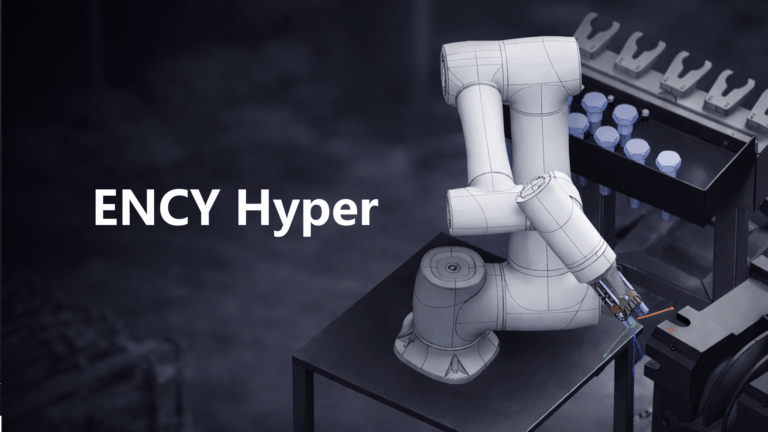
ENCY Hyper

This course is dedicated to working with ENCY Hyper and covers the complete workflow of robotic machining using the platform.

16 lessons2hr 11 minTier 3
Sign in to enroll

About course

This course is dedicated to working with ENCY Hyper and covers the complete workflow of robotic machining using the platform.

You will learn how to create and configure robotic cells, set up kinematics and tooling, prepare projects, and connect to real robot controllers. Step by step, we demonstrate how to move from a digital environment to real-time robot control and execution.

The course focuses on practical use cases, showing how ENCY Hyper integrates simulation and real hardware to enable precise, flexible, and efficient robotic machining.

Lessons

16 lessons to go

  1. 1ENCY Hyper: License ActivationActivate a license in the Hyper app using two methods: automatic and manual. For automatic activation, scan the QR code with a smartphone while logged into the website to receive an activation code. If offline or facing issues, generate a code to provide to your dealer for manual activation.Video lesson
  2. 2ENCY Hyper: Start Page OverviewExplore the Hyper app's homepage features, including project management tools like deletion, duplication, and renaming in the My Projects tab. Learn to import mechanisms from the MachineMaker app, utilizing its library to create and export projects seamlessly. Access settings for resolution and visualization, and manage user profiles effectively.Video lesson
  3. 3ENCY Hyper: Cell Mode OverviewThe Cell tab in the Hyper app enables users to add and customize objects such as tables and machines. Users can manipulate object parameters, move and rotate them using standard coordinates or relative to a robot, and create trays for organizing parts. The functionality also includes importing DXF drawings for further editing.Video lesson
  4. 4ENCY Hyper: Parts Mode OverviewThe Part tab in the Hyper App allows users to add and import parts for editing. Users can select standard parts, adjust dimensions, and set grip positions before applying changes. Once prepared, parts can be placed on trays created in the Cell tab for further use.Video lesson
  5. 5How to Connect ENCY Hyper to KUKA Robot | Full Workflow from MachineMaker to Real MachiningConnect a KUKA robot to NCHyper by installing necessary software, configuring the robot's settings, and establishing a network connection. Utilize MachineMaker to create a digital twin of the robot cell, import 3D models, and define coordinate systems. Program and execute toolpaths seamlessly in NCHyper, leveraging ENCY for real-time adjustments and simulations.Video lesson
  6. 6ENCY Hyper: Full Workflow with FAIRINO RobotCreate and configure robotic cells using the MachineMaker application, including adding mechanisms and adjusting parameters. Transition to the ENCY Hyper application to program robot commands, set conditions, and simulate movements. Finally, connect to a real robot to verify operation and ensure the programmed path matches the simulation.Video lesson
  7. 7Full Workflow in ENCY Hyper Using ScannerConnect a scanner to Hyper and integrate it into projects using a cutting tool with scanning capabilities. Set up scanning positions, configure the scanning utility, and manage point cloud data to automate part processing. The system recalculates trajectories based on real-time part positioning, ensuring efficient and accurate operations with various scanner models.Video lesson
  8. 8ENCY Hyper: Simple Machine TendingImplement the machine tending process using the Hyper application by assembling a robot setup in MachineMaker. Add necessary components, configure commands for picking and placing parts, and establish a looping process with collision avoidance. Utilize pause commands to manage processing times effectively within the simulation.Video lesson
  9. 9Pick and Place Basics in ENCY Hyper (FAIRINO)This course covers the assembly process in the Hyper application, focusing on using MachineMaker and the Mechanism library to position and connect components like a coffee machine. Participants learn to edit tool center points (TCP), set attachment points, and program robot movements, including pick and place commands with safe trajectory adjustments. The course concludes with connecting and testing the program on a real robot.Video lesson
  10. 10ENCY Hyper: Pick and Place with Universal RobotThis project covers the setup and optimization of a two-finger gripper for pick and place commands in a robotic application. It includes configuring tool parameters, programming the robot to pick and place a battery on a drone, and simulating the robot's movements. The final steps involve connecting to a real robot and testing the programmed commands.Video lesson
  11. 11ENCY Hyper: Palletizing with Move Sync (Estun Robot)Explore the Hyper app for robot and table synchronization in pick-and-place operations. Set custom positions to prevent collisions, implement move-sync commands, and automate cycles with conditional logic. Simulate the entire process to ensure efficient operation of multiple mechanisms in a coordinated workflow.Video lesson
  12. 12ENCY Hyper: Working with Collision DetectionCollision detection is set up in MachineMaker by preparing the model, adjusting settings, and exporting to nchyper. Users learn to enable collision detection, visualize collisions, and utilize the ignore collision function to exclude specific mechanisms. The process includes adding objects, adjusting simulation settings, and observing collision interactions in real-time.Video lesson
  13. 13ENCY Hyper: ABB Palletizing Robot WorkflowConfigure ABB palletizing robots using MachineMaker by adding mechanisms, setting kinematics, and establishing axis connections. Simulate robot movements to ensure functionality, then program commands for picking and placing objects, incorporating conditional loops for efficiency. Finalize the project by exporting and integrating necessary components for operational tasks.Video lesson
  14. 14ENCY Hyper: Column Type SCARA Robot SetupConfigure SCARA robots on a vertical support column using the MachineMaker application. Adjust kinematics, add tools, and set up work areas to ensure proper reachability. Simulate robot tasks, modify table dimensions, and utilize safe path commands to optimize performance and avoid collisions.Video lesson
  15. 15ENCY Hyper: Spot Welding WorkflowThis project focuses on spot welding using MachineMaker, where participants assemble a robotic cell with two robots: one for welding and another for part transfer. Key tasks include editing tool TCP points, positioning parts, programming pick and place commands, and setting up welding points with intermediate positions to ensure precise operation. The session culminates in recalculating and testing the robot's performance.Video lesson
  16. 16How to Connect an ESTUN Robot in ENCY HyperConnect and program an Estune robot using the SciHyper application. Create a robotic cell, add move commands, and simulate the robot's movements in real-time. Learn to manage the robot's IP settings and observe its behavior during manual and automated operations.Video lesson

Course discussion

Loading discussion…

0/6000