MachineMaker: Understanding the Basics

Have you ever wondered how we get our machine definitions into ENCY? Wonder no more!

2 lessons8 minsTier 214 languages
Sign in to enroll

About course

This introduction serves to explain the different methods available for getting your machine data into MachineMaker for kinematic development. Once you've watched these videos, you'll unlock the more advanced MachineMaker content which uses each of the discussed methods. 

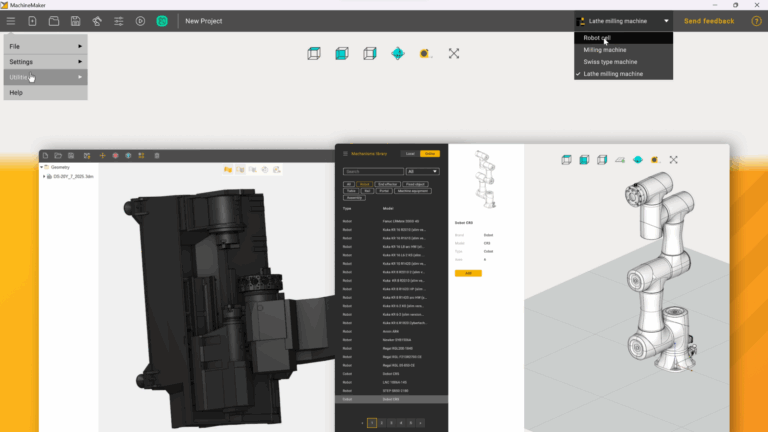
The MachineMaker toolset includes three different methods to be able to set up machines for ENCY: Importing external CAD models using standard formats, using ENCY's internal OSD 3D format, and for robotic cells making use of the inbuilt mechanism library.

Author

Files

Gerry Grainger

No files available

You’re good to go—no downloads needed.

Gerry Grainger

Training content producer

Languages

العربيةDeutschEnglishEspañolFrançaisעבריתहिन्दीItaliano日本語한국어NederlandsPolskiPortuguês中文

Lessons

2 lessons to go

  1. 1What are my Options?Explore three methods for building and importing machines in MachineMaker: natively import OSD files, utilize the Simplifier tool for standardized CAD models (3DM, STEP, XT), and access the mechanisms library for robotic cell development. Each method streamlines the process of integrating machines and components into your projects. Subsequent videos provide detailed guidance on these techniques.Video lesson
  2. 2How do I generate OSD files?Import and export geometry using OSD files in the MachineMaker environment. Learn to create OSD components from CAD models, such as a three-jaw chuck, and understand the advantages of using OSD for efficient machine definition. This process minimizes file size and simplifies the integration of machine parts.Video lesson

Course discussion

Loading discussion…

0/6000