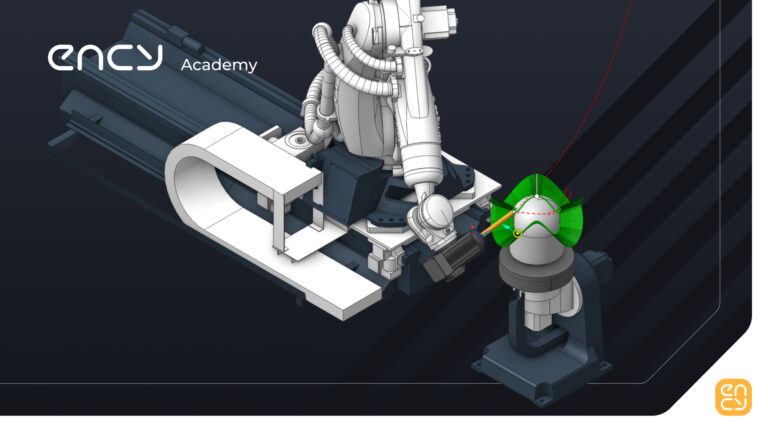
2D, 3D and 6D Contouring with Robot

Learn contouring. Essential toolpaths for milling, trimming, deburring, and more

4 lessons15 minTier 314 languages
Sign in to enroll

About course

This video course provides a quick overview of the core principles of the 2D, 3D and 6D contouring operations in ENCY Robot


Author

Files

Gerry Grainger

Used in the course — download before starting:

Gerry Grainger

Training content producer

Languages

العربيةDeutschEnglishEspañolFrançaisעבריתहिन्दीItaliano日本語한국어NederlandsPolskiPortuguês中文

Take the course and get a certificate!

Add this certificate to your resume to demonstrate your skills and increase your chances of getting noticed.
Certificate preview

Lessons

4 lessons to go

  1. 12D ContouringDefine a 2D contour toolpath using a longer cutting tool suitable for foam cutting. Adjust job assignment parameters, including top and bottom levels, and generate the toolpath while checking for axis limits and collisions. Finalize the toolpath by simulating and ensuring clean node statuses before progressing to 3D and 5D contouring techniques.Video lesson
  2. 23D Contouring3D contouring involves selecting a curve and assigning a job in the machining environment. Users set offsets and tool orientation to ensure the tool follows the 3D trajectory accurately. The process includes generating the toolpath, checking for collisions, and simulating the toolpath for validation.Video lesson
  3. 36D ContouringDefine and generate a 6D contouring path using a rotary turntable to optimize tool orientation and reduce workload. Set up the operation by selecting a 5D curve and configuring the toolpath to avoid collisions. Simulate the toolpath to evaluate performance and determine the benefits of using a turntable in complex machining scenarios.Video lesson
  4. 4Assignment – Contouring with RobotsReading· Assignment required

Course discussion

Loading discussion…

0/6000